
Orthopaedic Practice Software
Mark the joint with a pen, compare X-rays by visit, and let post-op follow-up dates and reminders fill in from the surgery date.
- Joint mapping sheet, written like paper
- Post-op dates calculated from surgery
- WhatsApp reminder before every follow-up
15-minute demo on your own ortho sheets.
| Milestone | Due date fx | Done |
|---|---|---|
| Suture removal | 20-10-2026 | |
| Physio review | 27-10-2026 | |
| X-ray check | 17-11-2026 | |
| Physio review | 01-12-2026 | |
| X-ray check | 29-12-2026 |
Explain it. Show the change.
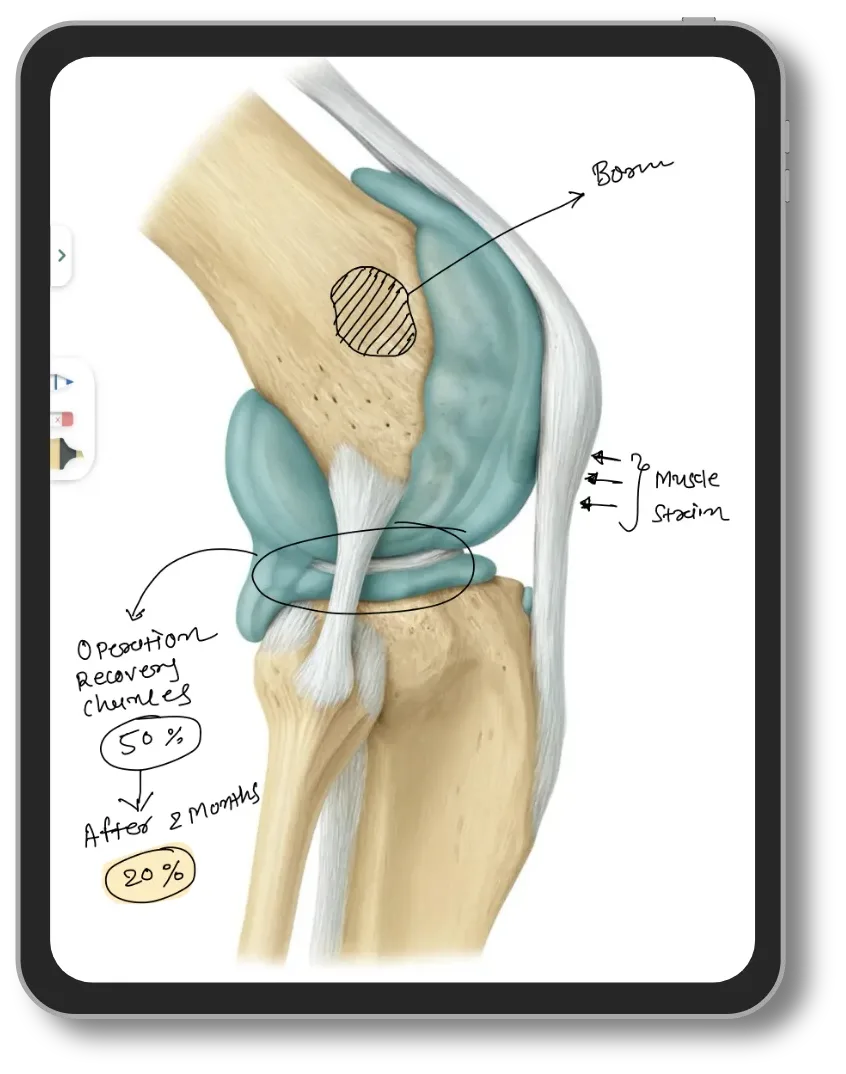
Explain on the tablet
Draw on the knee diagram while the patient watches. No extra cost.
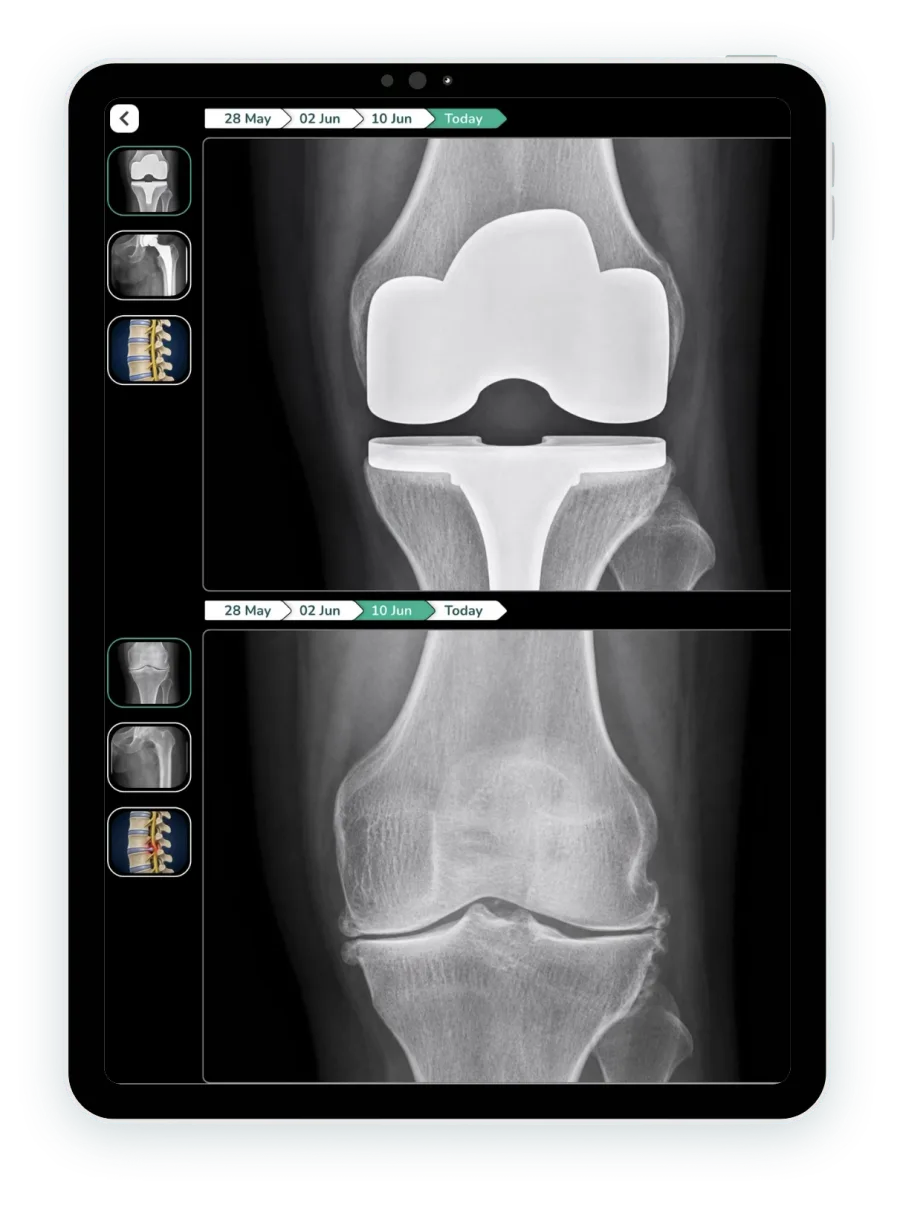
Pre-op and post-op X-rays
Two visits' X-rays side by side, with the visit timeline above.
Ortho sheets, ready on day one
Set up for your clinic before you start. Change any sheet to match your protocol.
Every ortho OPD
- Knee and joint mapping sheet
- Trauma assessment
- Fracture record
- Post-op review
- Range of motion chart
- Pain score chart
- Knee score total
- Hip score total
Surgery and follow-up
- Post-op recovery timeline
- Fracture X-ray follow-up dates
- Plaster and splint check dates
- Physiotherapy sessions
- OT notes
- Implant details
- Discharge summary
Examination
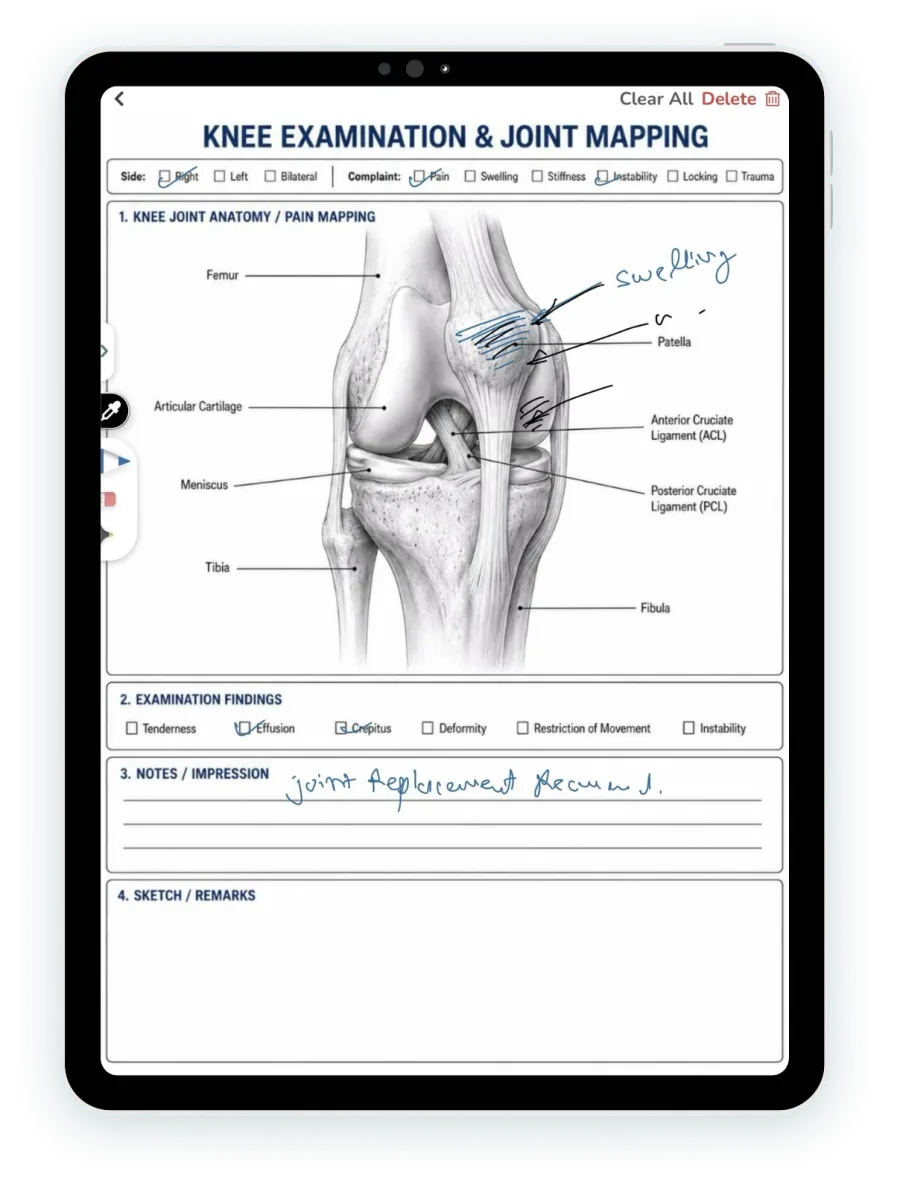
Mark the joint, like on paper
Shade the swelling, tick the findings and write the plan with a pen on the tablet. It saves in the patient's file.
- Knee and joint mapping sheet
- Trauma and post-op templates
- Dictate in Hindi with LaMa AI
Recovery
Range of motion, visit by visit
Flexion, extension lag and pain for every visit in one chart. Readings below your target show amber; the change is calculated.
- Target set by the doctor
- Change since the first visit calculated
- Knee and hip score totals added up
| Date | Flexion (°) | Extension lag (°) | Pain (0–10) |
|---|---|---|---|
| 20-10-2026 | 70 | 10 | 7 |
| 27-10-2026 | 85 | 8 | 5 |
| 17-11-2026 | 100 | 5 | 3 |
| 01-12-2026 | 110 | 2 | 2 |
| Change since first visit | +40 fx | −8 fx | −5 fx |
Surgery & billing
Implant on the bill, summary ready
OT notes, implant details and charges stay with the admission. The discharge summary is drafted from the stay.
- Implant size and lot number on the bill
- OT notes in the patient record
- Discharge summary from the stay record
| Item | Qty | Rate | Amount |
|---|---|---|---|
| Knee implant, cemented, size 4Lot no. KX-2291 | 1 | ₹85,000 | ₹85,000 |
| OT charges | 1 | ₹25,000 | ₹25,000 |
| Surgeon fee | 1 | ₹40,000 | ₹40,000 |
| Room, 3 days | 3 | ₹3,500 | ₹10,500 |
| Total | ₹1,60,500 |
Your orthopedic prescription pad, on a tablet

Write with a pen
Write on the tablet as you do on paper. It saves as a digital prescription.
Tablet writing →| Medicine | Dose | Days |
|---|---|---|
| Tab. Metformin 500 mg | 1-0-1 | 30 |
| Tab. Telmisartan 40 mg | 1-0-0 | 30 |
| Tab. Atorvastatin 10 mg | 0-0-1 | 30 |
Type on the computer
Add medicines from your templates, or load the last prescription and edit.
EMR software →Speak to LaMa AI, in Hindi too
Speak in English, Hindi or your language. Check the prescription, then save.
Voice prescriptions →What changes
- Today: Joint findings drawn on a paper sheet that gets lostWith Lifemaan: Joint mapping sheet saved in the patient file
- Today: Follow-up dates counted on a calendarWith Lifemaan: Dates calculated from the surgery date
- Today: Patients miss X-ray and physio reviewsWith Lifemaan: WhatsApp reminder before each one
- Today: Old X-rays in a carry bagWith Lifemaan: Pre-op and post-op X-rays side by side
- Today: Implant stickers pasted in a registerWith Lifemaan: Implant size and lot number on the bill
- Today: Discharge summary typed from scratchWith Lifemaan: Drafted from the stay record
The rest of your practice
What Orthopaedic Surgeons Say
“I was skeptical about going digital, but Lifemaan made it easy. I write on the tablet like I wrote on paper. My surgery notes, OPD prescriptions — everything is saved and accessible.”
Dr. Hardik Sheth
Orthopaedic Surgeon, Niramay Hospital, Surat
See it with your own ortho sheets
Quote-based pricing, with a free trial.
- Your specialty's charts, shown on a real patient file
- Bring one paper chart you use; we show it in Lifemaan
- 15 minutes, on video call or at your clinic
Or reach us directly: +91 90237 53539 · WhatsApp